

# WPM Tracker: Build a Typing Log That Improves Speed
A WPM tracker turns scattered typing test scores into a practice record you can act on. Log WPM, accuracy, test length, passage type, device, and one change you made before the run. After a week, review the pattern instead of judging one lucky score. The useful question is simple: which habit raised your speed while keeping accuracy stable?
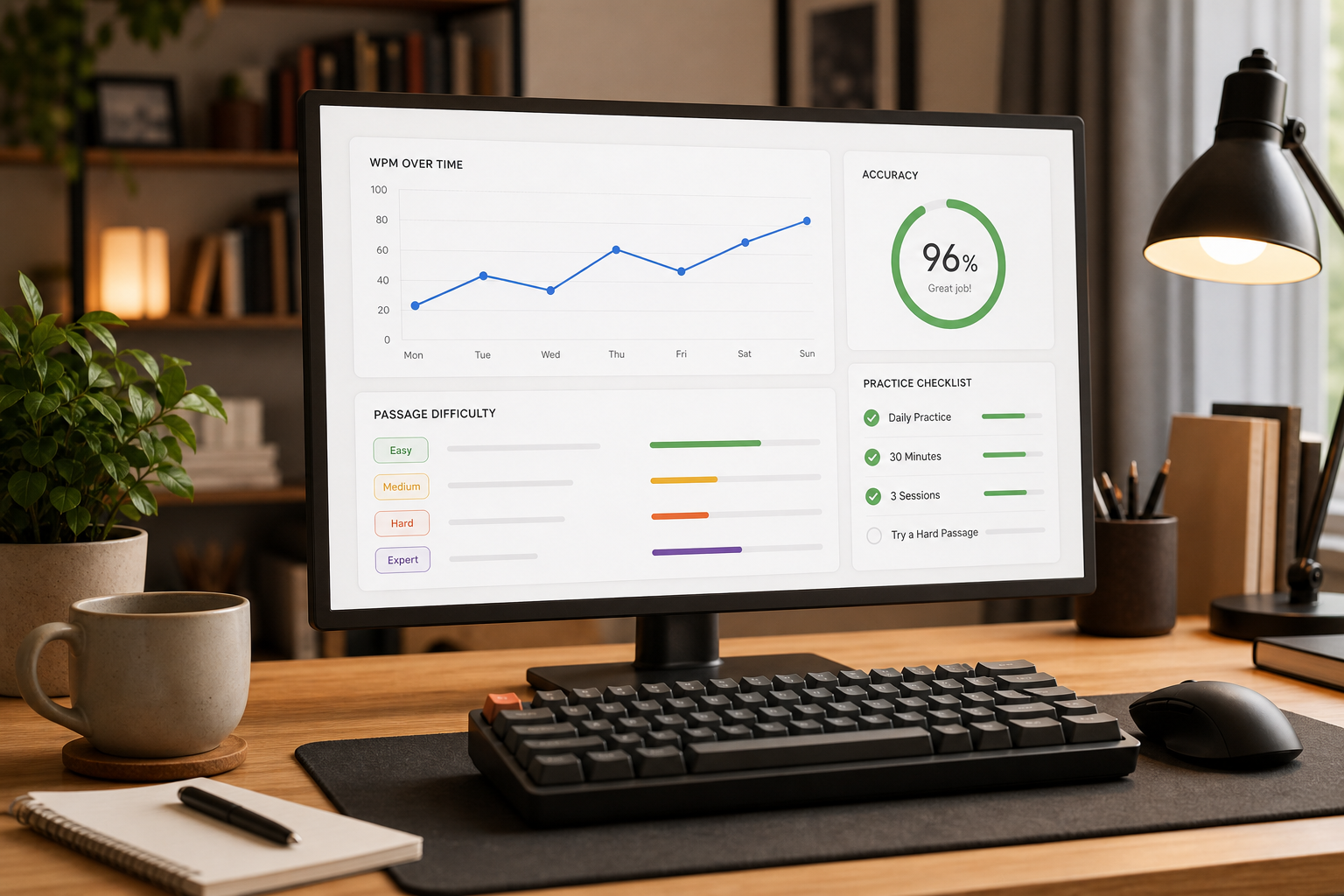
Most typists already have enough data. They just spread it across memory, screenshots, and vague impressions. A good tracker gives each result context. That context keeps you from chasing a single personal best that came from an easy passage, a fresh morning, or a run where you ignored errors.
Use this guide to build a weekly WPM tracker that supports real practice decisions. You can use a spreadsheet, notes app, or paper log. The format matters less than the habit: one row per session, one review per week, and one controlled adjustment at a time.
# What a WPM tracker should measure
A WPM tracker should record enough context to explain why a score changed. The minimum useful fields are date, test length, WPM, accuracy, passage difficulty, device, input method, practice focus, and one sentence about what happened.
That last note matters. Numbers show the result. The note explains the cause.
Start with these columns:
| Field | What to record | Why it matters |
|---|---|---|
| Date | The session date | Shows trends across weeks |
| Test length | 15, 30, 60, or 120 seconds | Short tests inflate speed more often |
| WPM | Your reported words per minute | Tracks output speed |
| Accuracy | Percent correct | Keeps speed gains honest |
| Passage type | Easy text, punctuation, numbers, code, or mixed | Separates skill from passage difficulty |
| Device | Laptop keyboard, desktop board, phone, tablet | Prevents unfair comparisons |
| Focus | Rhythm, accuracy, warmup, punctuation, endurance, or recovery | Links practice to results |
| Note | One plain sentence | Captures fatigue, setup, or errors |
For a clean baseline, run the same test length for several sessions before you compare different formats. A 15 second sprint and a 2 minute passage measure different things. If you need a reference point for how passage difficulty changes scores, use the TypeTest guide to typing speed test passage difficulty before you mix easy text with punctuation-heavy text.
# Build the weekly tracker template
Use a weekly view because daily typing scores move around too much. Sleep, hand temperature, passage content, interruptions, and mood all affect a short typing run. A weekly view smooths the noise while keeping the feedback loop short enough to change practice.
Create one tab or page per month. Add one row for each serious session, then add a weekly summary row every Sunday or after every five sessions.
A useful weekly summary has five numbers:
- Best WPM with at least 97 percent accuracy.
- Median WPM across all serious runs.
- Median accuracy.
- Worst recurring error type.
- One practice change for next week.
The median matters more than the best score. Your best run proves capacity. Your median shows repeatable performance. If your best score jumps but your median stays flat, you probably found a lucky passage or sprinted past your correction cost.
If you use a spreadsheet, turn the log into a table. Google explains the basics of sorting and filtering in Google Sheets help (opens new window), and Microsoft has a clear guide to creating and formatting Excel tables (opens new window). Tables make it easy to filter one device, one passage type, or one test length without rewriting the log.
Here is a simple weekly template you can copy:
| Week | Median WPM | Median accuracy | Best clean WPM | Main error | Next focus |
|---|---|---|---|---|---|
| 2026-07-27 | 62 | 96.8% | 68 | Missed capital letters | Slow first 10 seconds, then build |
| 2026-08-03 | 64 | 97.4% | 70 | Commas and quotes | Add punctuation passages twice |
| 2026-08-10 | 66 | 97.1% | 71 | End of run fatigue | Use one longer passage per day |
Keep the template boring. Boring trackers survive contact with real life.
# Choose the right score to track
Track one primary score and two guardrail scores. For most typists, the primary score should be clean WPM: WPM from runs that meet your accuracy threshold. The guardrails should be accuracy and test length.
A raw WPM number can reward sloppy typing. Accuracy alone can reward cautious typing that never speeds up. Clean WPM forces the two to travel together.
Set your clean run threshold before you start. A practical default is 97 percent accuracy for normal text and 95 percent for harder material that includes numbers, symbols, or code. If your work needs precise output, raise the threshold. If you are rebuilding technique from a messy baseline, start where you can succeed and raise it later.
Use this decision table when your tracker gives mixed signals:
| Pattern in the tracker | Likely cause | Next practice move |
|---|---|---|
| WPM rises and accuracy stays stable | Real gain | Keep the same drill for one more week |
| WPM rises and accuracy drops | Over-speeding | Cap speed for three sessions and fix errors |
| WPM stays flat and accuracy rises | Control gain | Add short speed intervals after warmup |
| WPM drops and accuracy drops | Fatigue, distraction, or harder text | Reduce session length and check passage type |
| Best score rises but median stays flat | Inconsistent sprinting | Track longer tests and review first mistakes |
If you need a stricter accuracy frame, compare your log with the TypeTest guide to typing accuracy thresholds. The threshold should match the job you want the skill to perform. Chat messages, school essays, code, and data entry punish errors differently.
# Separate practice sessions from benchmark sessions
Your WPM tracker should label each row as practice or benchmark. Practice rows show what you trained. Benchmark rows show what transferred.
Use practice rows for focused drills: punctuation, common letter pairs, rhythm, numbers, shortcut use, or mobile typing. These sessions can be messy because their job is to expose weak spots. Use benchmark rows for standardized checks. Keep the length, passage type, device, and environment consistent.
A clean weekly rhythm looks like this:
- Monday: 10 minute baseline and note the main error.
- Tuesday: 15 minutes of focused practice on that error.
- Wednesday: 10 minutes of normal typing plus one benchmark run.
- Thursday: 15 minutes of focused practice.
- Friday: 10 minute benchmark.
- Weekend: review the tracker and choose next week's focus.
This rhythm gives you enough data to notice change without turning typing into clerical work. The tracker should cost less than two minutes per session.
Use TypeTest for the standardized rows so the result format stays consistent. Start from the main TypeTest typing test (opens new window) when you need a normal benchmark, then use the blog guide on average typing speed by age only as context. Your own trend matters more than a broad population band.
# Log examples, not excuses
A useful note describes the run in plain terms. It does not defend the score.
Weak note: "Bad day."
Useful note: "Missed commas in the second half and corrected four words manually."
Weak note: "Keyboard felt weird."
Useful note: "Laptop keyboard, shallow travel, three missed spaces in 60 seconds."
Good notes make weekly review faster. You should be able to scan five rows and see the pattern: late errors, punctuation problems, rushed starts, poor warmup, or device mismatch.
The Nielsen Norman Group's response time guidance notes that short delays can change attention and perceived flow in interactive work. Their article on response time limits (opens new window) is about interface behavior, but the practical lesson applies to typing tools too: feedback timing shapes how people respond. If a test feels laggy, distracting, or inconsistent, log it instead of blending that score with normal runs.
Keep examples specific:
- "First 15 seconds too fast, then accuracy fell to 94 percent."
- "Better rhythm after two minute warmup, fewer backspaces."
- "Numbers slowed WPM by 18 points compared with plain text."
- "Phone run had high autocorrect cost, so it stays in the mobile group."
These notes create training prompts. The tracker becomes useful because it tells you what to practice next.
# Review the tracker once a week
A weekly review should take five minutes. Do it before another practice session, while you can still choose the next drill calmly.
Use this checklist:
- Did median WPM move by at least 2 points?
- Did median accuracy stay inside your clean run threshold?
- Which passage type caused the largest drop?
- Which error appeared in at least three sessions?
- Did one device or test length distort the trend?
- What single focus should guide the next week?
Avoid changing three variables at once. If you switch keyboard, passage type, and test length in the same week, the tracker cannot explain the result. Change one thing, log it, and give it enough sessions to matter.
When the review finds a real pattern, turn it into a short plan:
| Finding | One week plan |
|---|---|
| Accuracy drops after 30 seconds | Add two 60 second runs at controlled speed |
| Punctuation causes most errors | Use punctuation passages every other session |
| First run is always weak | Add a 3 minute warmup before benchmarks |
| Laptop scores trail desktop scores | Track devices separately for two weeks |
| Best score is far above median | Reduce sprint tests and build repeatable pace |
This is where the WPM tracker earns its keep. The artifact is small, but the habit prevents random practice.
# Keep the tracker honest
The easiest way to ruin a WPM tracker is to record only flattering runs. Log every serious benchmark, including the mediocre ones. You can skip warmup drills, experiments, and obvious interruptions, but do not hide normal bad scores.
Use these rules:
- Decide before the run whether it counts.
- Record the result immediately.
- Keep practice and benchmark rows separate.
- Compare the same test length with the same test length.
- Review medians before personal bests.
- Add one note, then stop fiddling.
If the log starts taking more time than practice, shrink it. A tracker with five columns used every week beats a perfect dashboard abandoned after three days.
# Turn the log into better typing practice
A WPM tracker improves typing speed by making practice specific. It shows whether your next session should target rhythm, accuracy, punctuation, endurance, device setup, or passage difficulty. It also gives you permission to ignore noisy scores that came from a different format.
Start with one week of baseline rows. Use the same test length, the same device, and a reasonable accuracy threshold. At the end of the week, choose one focus and run the same review again. If clean WPM rises and accuracy holds, keep going. If the numbers scatter, narrow the variables.
Open TypeTest, run a normal benchmark, and add the first row while the result is fresh. The first entry will look ordinary. That is fine. The second week is where the pattern starts talking back.