

# Typing Warm Up: A 6 Minute Routine for Cleaner WPM
A typing warm up is a short pre-test routine that prepares your hands, pacing, and attention before you measure WPM. The useful version takes about six minutes: check posture, run easy words, add punctuation, test one short sprint, then start the scored run only if accuracy stays stable. This keeps the first typing test from becoming the warmup by accident.
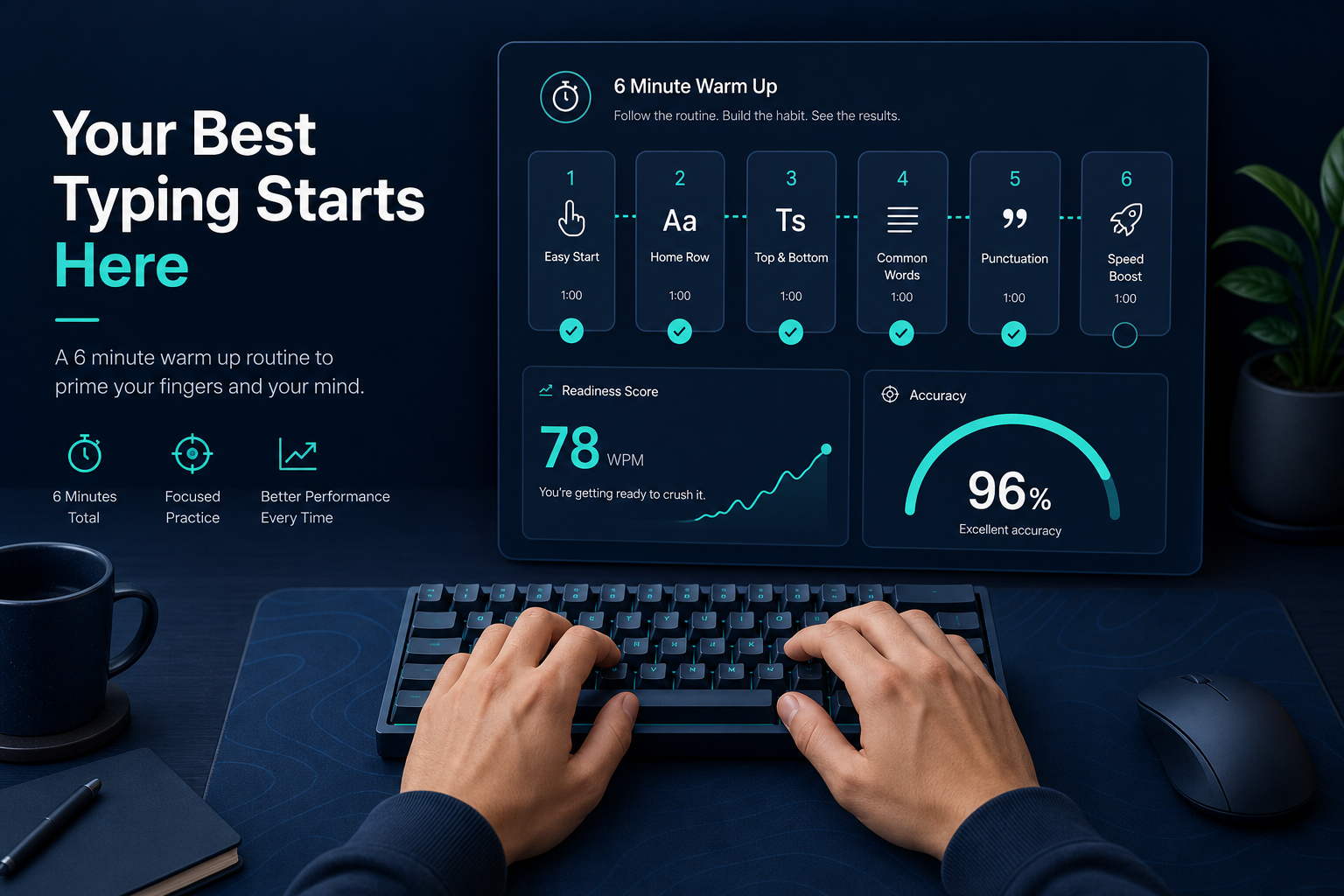
If your first run is always messy and your second run looks normal, your score data is mixing two things: skill and readiness. This guide gives you a compact routine, a readiness score, and a weekly plan you can use before TypeTest sessions without turning practice into a ceremonial keyboard inspection.
# Why a typing warm up changes test results
Typing looks simple from the outside, but a timed test asks for several systems at once: visual scanning, finger timing, correction control, breathing, and pace judgment. Cold starts usually fail in one of those systems before your real typing speed appears.
A warmup helps in three practical ways.
First, it brings your rhythm up gradually. Jumping straight into a 60 second test encourages over-speeding in the first 10 seconds. That often creates early backspaces and a lower final score.
Second, it reveals setup problems before they contaminate the scored run. A sticky modifier key, wrong keyboard layout, aggressive key repeat, or awkward chair height can all look like poor typing.
Third, it gives you a repeatable pre-test state. If you warm up the same way each session, your WPM trend becomes easier to interpret.
For baseline measurement after warmup, pair this routine with the Type Speed Test Baseline Routine. If you use multiple run lengths, normalize results with Typing Test WPM: Normalize Scores Across Duration and Difficulty. If accuracy is your main blocker, use Typing Accuracy Test Thresholds after the readiness check.
# The 6 minute typing warm up routine
Use this routine before any scored typing test. Keep it short. A warmup should prepare the session, not spend the session.
# Minute 0 to 1: setup scan
Check the basics before your hands start moving.
- Keyboard layout is correct.
- Browser zoom and text size feel normal.
- Wrists and shoulders are relaxed.
- Feet are stable.
- Timer length is selected.
- Autocorrect, extensions, and input tools are in their normal state.
Ergonomics guidance from OSHA emphasizes neutral posture and reachable input devices for computer workstations. The UK Health and Safety Executive also recommends posture variation and suitable workstation setup for display screen equipment. The Canadian Centre for Occupational Health and Safety gives similar guidance for keyboard and mouse position. Those sources are about workplace comfort, but the same setup consistency helps typing tests because it reduces avoidable input noise.
References:
- OSHA computer workstation guidance: https://www.osha.gov/etools/computer-workstations (opens new window)
- HSE display screen equipment guidance: https://www.hse.gov.uk/msd/dse/ (opens new window)
- CCOHS office ergonomics keyboard guidance: https://www.ccohs.ca/oshanswers/ergonomics/office/keyboard.html (opens new window)
# Minute 1 to 2: easy rhythm pass
Type simple lowercase words at 70 to 80 percent effort. Do not chase speed. The goal is even spacing between keystrokes.
Use words with familiar patterns:
- the, and, with, from, this, that
- time, work, note, line, page
- clean, small, steady, normal
Watch for tension. If your fingers hit hard or your shoulders rise, reduce pace.
# Minute 2 to 3: accuracy pass
Now type one short paragraph at moderate speed. Keep accuracy above your normal test target. For many typists, that means 97 percent or better.
If you make a mistake, correct it calmly and continue. The correction should not trigger a speed burst. Early correction panic is one of the easiest ways to ruin a score before the test even begins.
# Minute 3 to 4: punctuation and Shift pass
Add sentence starts, commas, periods, quotes, and one or two numbers. This checks modifier timing and punctuation control.
Use a line like this:
Today, I typed 42 clean words, checked the result, and started again.
If you miss capitals or punctuation during this minute, do not start a scored run yet. Spend one extra minute on the same feature. A cold modifier problem will not politely disappear when the timer starts.
# Minute 4 to 5: short sprint
Run a 15 second sprint at test pace. Stop when the timer ends, then look at the result.
You are checking readiness, not setting a record. The sprint should feel controlled. If WPM is high but accuracy drops, you are not ready for a full run. If WPM is slightly below normal and accuracy is clean, you are ready.
# Minute 5 to 6: reset and start the scored run
Rest for 20 to 30 seconds. Loosen your hands. Look away from the screen. Start the scored TypeTest run with the same correction behavior you plan to use for the session.
Do not keep warming up indefinitely. Two failed readiness checks are useful data. They usually mean fatigue, setup friction, or a passage difficulty mismatch.
# Typing warm up readiness score
Use this score before your main test. Add the points. Start the scored run when you reach 8 or higher.
| Check | 0 points | 1 point | 2 points |
|---|---|---|---|
| Posture and setup | Distracting or uncomfortable | Usable with minor adjustment | Stable and familiar |
| Easy rhythm | Uneven or tense | Mostly steady | Smooth and relaxed |
| Accuracy pass | Below target | At target with effort | At target comfortably |
| Punctuation pass | Repeated modifier errors | One small miss | Clean capitals and punctuation |
| Sprint control | Fast but messy | Slightly slow but clean | Near normal pace and clean |
Interpretation:
| Score | Decision | What to do next |
|---|---|---|
| 0 to 4 | Do not test yet | Fix setup or rest |
| 5 to 7 | Warm up one more minute | Repeat the weakest pass |
| 8 to 10 | Start scored test | Run the planned session |
This table prevents the classic trap of treating a rough first attempt as a real benchmark. It also stops the opposite problem, endless warmups that quietly become avoidance with extra keystrokes.
# How to adjust the routine for different goals
A typing warm up should match the test you are about to run. Use the same six minute frame, but change the emphasis.
# For WPM benchmark days
Keep the routine balanced. Use one easy rhythm pass, one accuracy pass, one punctuation pass, and one short sprint. Then run three 60 second tests and use the median result.
This version produces the cleanest trend data because the warmup stays consistent.
# For accuracy training
Make the sprint slower and stricter. Start the scored test only if warmup accuracy reaches your target. If you keep missing the same letter pair, move that pair into a small drill before the full test.
Accuracy warmups should feel slightly boring. That is a feature. You are training control before speed.
# For punctuation-heavy writing
Spend two minutes on Shift, commas, quotes, colons, numbers, and brackets. Use normal sentences rather than random symbols. Most real writing errors come from transitions, not isolated punctuation marks.
If punctuation is the main source of score drop, combine this warmup with Type Speed Test Calibration: Convert No Punctuation Scores Into Real Writing Speed.
# For one-word or burst tests
Use shorter rhythm passes and add two 10 second bursts. Keep full recovery between bursts. Burst tests punish tension, so the readiness signal is clean acceleration without sloppy releases.
If single-word speed is your focus, compare results against One Word WPM Test: Convert Single-Word Speed Into Real 60-Second Typing Performance.
# Common warmup mistakes that distort WPM
# Starting too fast
Many typists turn the first warmup minute into a personal best attempt. That defeats the point. Warmup speed should climb, not spike.
# Changing the routine every session
A different routine creates different readiness. Keep the core routine stable for at least two weeks before you judge score trends.
# Practicing only easy words
Easy words warm up rhythm, but they do not test Shift timing, punctuation, or correction control. Include at least one line that resembles real writing.
# Ignoring discomfort
Discomfort changes movement. If your hands or shoulders feel tight before the test, record it. A lower score on that day may reflect fatigue rather than skill loss.
# Retesting until the score looks good
A warmup prepares one measured session. It should not become a filter that hides bad days. If readiness stays low after two attempts, log the reason and stop or switch to light practice.
# A weekly warmup plan for cleaner trend data
Use the same routine for two weeks. Record the readiness score before each scored session.
| Day | Warmup focus | Main session | Decision rule |
|---|---|---|---|
| Monday | Balanced six minute routine | Three 60 second tests | Use median WPM |
| Tuesday | Accuracy pass emphasis | Four moderate runs | Stop if accuracy drops twice |
| Wednesday | Punctuation pass emphasis | Two punctuation-heavy runs | Track modifier errors |
| Thursday | Short sprint control | Three 30 second runs | Compare pace stability |
| Friday | Balanced routine | Three 60 second tests | Compare to Monday median |
After two weeks, review three numbers:
- Average readiness score.
- Median first scored run WPM.
- Gap between first scored run and best run.
If the readiness score rises and the first-run gap shrinks, the warmup is working. If readiness is high but the first-run gap stays wide, your pacing strategy needs attention. Use the Timed Typing Test Pacing Strategy to split the run into controlled phases.
# When to skip a typing warm up
Skip the routine when the goal is to measure true cold-start performance. That can matter if you are testing how quickly you can begin work after a break or how your setup behaves under normal interruptions.
Label those sessions as cold starts. Do not compare them directly with warmed sessions. A cold-start score answers a different question.
For everyday progress tracking, warm up first. You will get fewer noisy scores, clearer accuracy data, and a better read on whether your typing practice is improving actual control.
# Final takeaways
A typing warm up should be short, repeatable, and tied to the test that follows. Use six minutes: setup scan, easy rhythm, accuracy pass, punctuation pass, short sprint, and reset. Score readiness before the main run. If you reach 8 out of 10, start the scored TypeTest session. If you do not, fix the weakest point or record a cold-start day separately.